
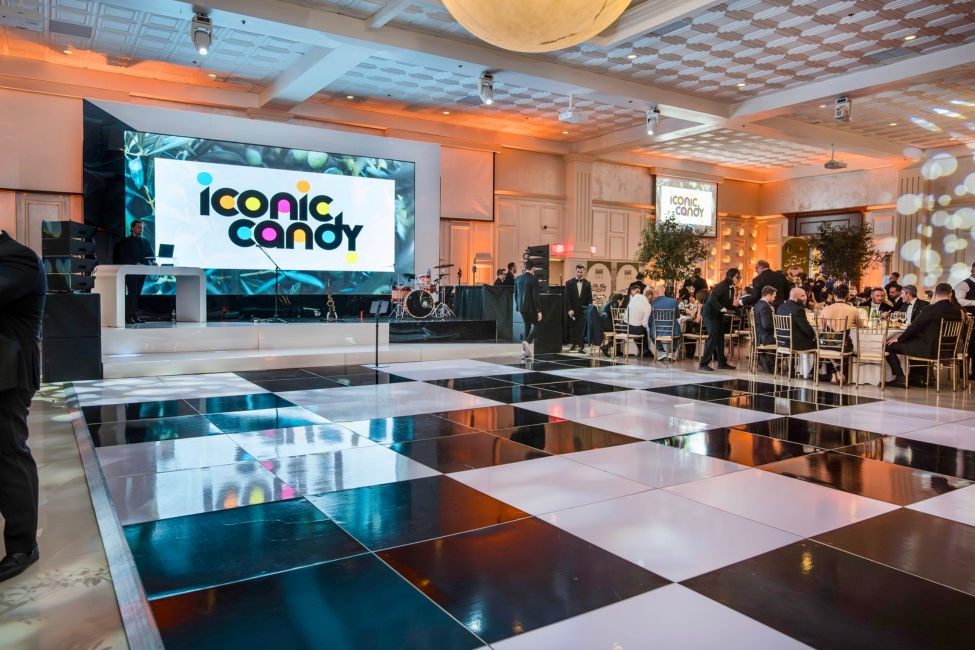
How do video walls work? It starts with understanding what they actually are. An LED video wall is a large display built by connecting multiple LED panels together so they function as one seamless screen.
A simple definition
An LED video wall is a group of LED panels connected together to function as one large display. The wall can show one unified image or multiple content zones at the same time. Unlike a single TV, it is modular and built panel by panel, which means it can be scaled to almost any size or shape. If you need your event to actually stand out, an LED video wall rental is one of the easiest ways to do it. From presentations to branded visuals, we handle the full setup. Explore LED video wall rental options with One Of A Kind Events.
Why LED video walls are different from regular screens
LED video walls are not limited to a fixed screen size. They are designed for larger-scale visual impact and built to expand in width, height, and even custom shapes. That flexibility makes them far more effective for bright, high-impact environments like events compared to standard consumer displays.
The Core Parts That Make an LED Video Wall Work

To really understand how video walls work, you need to break down the system into its core components. Each one plays a specific role.
LED panels
These are the physical display surface. Each panel contains tiny LEDs that produce the image you see. Panels lock together to form one larger wall, creating the visual canvas.
The video wall processor or controller
This is the brain of the system. It takes incoming content and maps it across the entire wall. It splits the image so each panel receives the correct portion and keeps everything perfectly synchronized so the wall acts like a single screen.
The content source
This is where the visuals actually come from:
- Laptop
- Media server
- Playback system
- Live camera feed
- Presentation switcher
The key point: the video wall does not create content. It simply displays whatever is sent to it from a source.
Control software
Control software is used to configure layouts, scaling, and output behavior. It lets operators decide what content appears, where it appears, and how it’s displayed. Some setups are simple, while others allow advanced multi-window layouts and real-time adjustments.
Cabling and signal distribution
This is what connects everything together. Cables carry video and control signals from the source to the processor, and from the processor to each panel. As long as the signal flow is clean and stable, the wall stays synchronized and looks seamless.
How an LED Video Wall Actually Displays One Large Image

This is where everything comes together. The process is straightforward when you break it down step by step.
Step 1: A content source sends video into the system
A video file, live feed, presentation, or graphics package is sent into the processor.
Step 2: The processor maps the content to the wall size
The system reads the wall’s total resolution and pixel dimensions. It then determines how the content should be scaled and positioned to fit that space correctly.
Step 3: The image is split into panel-by-panel sections
The processor divides the image into smaller sections. Each LED panel receives only the portion it needs to display. This is how multiple panels work together as one continuous screen.
Step 4: The panels display everything in sync
Timing is everything. The system keeps all panels perfectly aligned so motion, transitions, and video playback stay smooth. That synchronization is what makes the wall feel like one seamless display instead of separate pieces. An LED video wall rental gives your wedding a clean, high-end backdrop that actually looks right in photos and videos.
How Video Walls Handle Different Layouts and Content Zones
One of the biggest advantages of LED video walls is flexibility in how content is displayed.
One large full-wall image
The entire wall acts as one canvas. This is common for branding, stage visuals, and motion backgrounds where you want a clean, immersive look.
Multiple content windows on the same wall
The wall can also be divided into sections. Each section can show different content at the same time. For example, one area might show a logo, another a live camera feed, and another a presentation.
Why layout control matters
Layout control allows the operator to adapt the display to the event or presentation in real time. It also prevents common issues like stretched visuals, awkward cropping, or poorly formatted content.
What Role Pixel Pitch Plays in How an LED Video Wall Looks
Pixel pitch is one of the most important factors in how a video wall actually looks in real life.
What pixel pitch means
Pixel pitch is the distance between individual LED pixels. A smaller pixel pitch means the pixels are closer together, which creates a sharper image—especially up close.
Why viewing distance matters
The closer people are to the wall, the more detail they can see. A wall that looks great from far away may not look clean up close if the pixel pitch is too large. Image quality is not just about size—it is about pixel density.
Pixel pitch and content type
Text-heavy content requires tighter pixel pitch to stay readable. Motion graphics and video are more forgiving. That is why the right setup depends on both how far people are from the wall and what content is being shown.
How LED Video Walls Stay Seamless at Large Sizes
Even at large scales, a properly built LED video wall should feel like one continuous display.
Panel alignment
Panels must be installed evenly and precisely. If they are misaligned, seams and gaps become noticeable and break the illusion of a single screen.
Brightness and color consistency
All panels need to match in brightness and color. If one section looks slightly different, it stands out immediately and disrupts the overall image.
Synchronization across the wall
All panels must display content at the exact same time. Even slight timing issues can make motion look off. Proper signal control and synchronization are what keep everything smooth and unified.
Common Technology Behind LED Video Walls
This is where things get slightly more technical, but it’s still pretty straightforward when you break it down.
Controllers vs processors
You will hear “controller” and “processor” used interchangeably, and in most setups, they are doing very similar things. Both are responsible for managing content, mapping it to the wall, and distributing the signal to each panel.
The main idea: this is the system that takes your content and tells every panel exactly what to display and when. Without it, the wall would not function as a single screen.
Sending signal locally vs over networked systems
Some video walls use direct, local signal paths. That means your source connects straight into the processor and then out to the panels. It’s simple and reliable, especially for event setups.
Other systems use network-based setups. These send video over IP networks, which allows for more flexibility, especially across larger spaces or permanent installations.
You do not need to overthink it. Local setups are straightforward. Networked systems are more flexible and scalable.
Modular cabinet design
LED video walls are built from repeatable panel units, often called cabinets. Each cabinet is a building block.
This is what makes video walls so flexible. You are not stuck with a fixed size like a TV. You can build wider, taller, curved, or custom-shaped walls just by adding or arranging panels differently.
What Can Affect LED Video Wall Performance?
Even if the hardware is solid, a few key factors can make or break how the wall actually looks.

Resolution of the source content
This is the easiest mistake to make. Poor content in equals poor results out.
If your source file is low resolution, it will not magically look sharp on a large LED wall. The wall will simply stretch that content, and any flaws become more obvious at scale.
Aspect ratio mismatch
If your content does not match the shape of the wall, things get awkward fast.
You might see cropping, empty space, or stretched visuals. That is why the wall size and content layout should always be planned together, not separately.
Viewing distance and room layout
Where people are standing changes everything.
A wall that looks great from 30 feet away might not hold up when someone is 8 feet in front of it. The closer the audience, the more important sharpness and pixel density become.
There is no one-size-fits-all setup. The room always matters.
Processing and setup quality
You can have great panels and still get a bad result if the setup is sloppy.
If the signal path is unstable, content is mapped incorrectly, or panels are not calibrated properly, the wall will not look right. Clean setup and proper configuration matter just as much as the hardware itself.
Frequently Asked Questions About How Video Walls Work
Does every LED panel show the same thing?
No. Each panel usually shows only its assigned portion of the full image. That is how the wall creates one continuous display.
What does a video wall processor do?
It maps, splits, and sends content so the entire wall displays correctly and stays synchronized.
Can one video wall show multiple pieces of content at once?
Yes. Many video walls can be divided into sections, with each section showing different content at the same time.
Why does pixel pitch matter?
Pixel pitch affects how sharp the image looks, especially at close distances. Smaller pitch means better clarity up close.
Is an LED video wall the same as multiple TVs on a wall?
No. An LED video wall is designed to operate as one unified display system, not a collection of separate screens.
Conclusion
LED video walls work by combining multiple LED panels into one large display surface.
A processor or controller takes content from a source, maps it to the wall, splits it correctly, and sends the right portion to each panel. At the same time, it keeps everything synchronized so the wall behaves like one seamless screen.
In the end, image quality comes down to how well everything is working together: panel setup, pixel pitch, content resolution, and viewing distance. If you want a packed dance floor and a real “wow” factor, an LED video wall rental changes the entire vibe of your wedding.
See how an LED video wall rental can upgrade your wedding with One Of A Kind Events.