
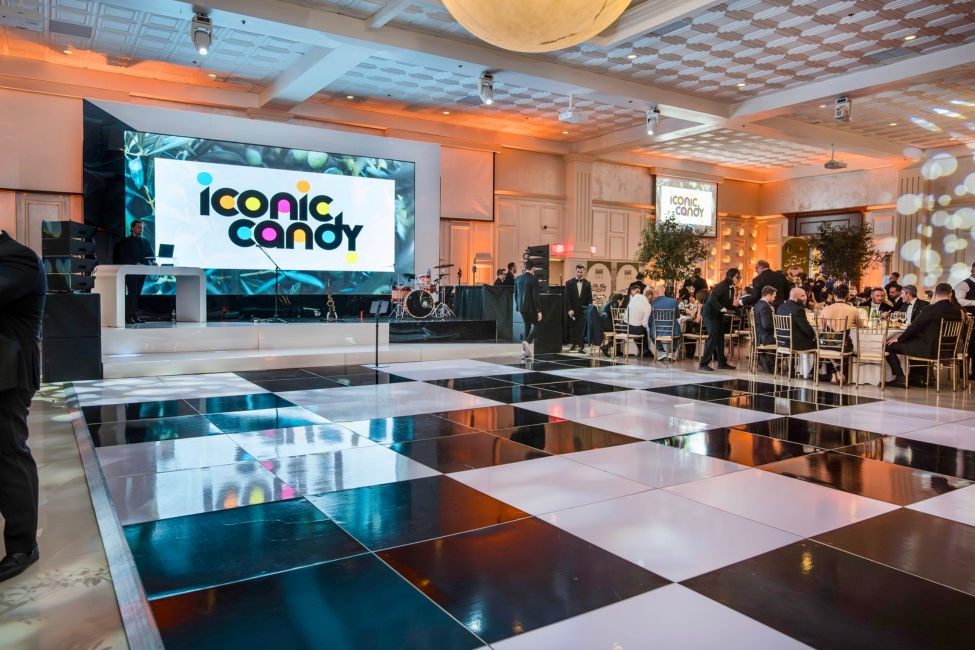
A corporate stage is more than a raised platform at the front of a room. It is the central production environment for the event, bringing the physical stage, scenic design, branding, video, lighting, audio, presentation technology, rigging, infrastructure, and show control together in one system.
Every part needs to support what is happening onstage. Speakers need to be visible. Presentations need to be easy to read. Audio needs to be clear. Branding needs to feel intentional. Most importantly, the production needs to work reliably from the first presentation through the final cue.
If you are planning a conference, awards program, product launch, gala, or company event, One Of A Kind Events provides stage rentals in New Jersey built around the specific needs of the room, audience, and program.
What is Included in Corporate Stage Design?
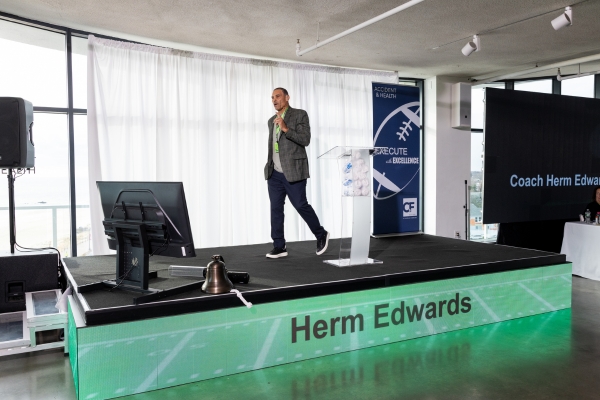
Corporate stage design combines the physical environment people see with the technical systems working around and behind it.
The exact setup changes from event to event, but most corporate stages involve two major components: the physical stage and the technical production supporting it.
The Physical Stage
The physical stage starts with the decks and platforms that create the performance or presentation area. From there, the stage can include different elevations, stairs, access points, risers, lecterns, furniture, stage finishes, scenic walls, and custom structures.
These elements should be selected based on what will actually happen during the event.
A stage built for one keynote speaker may only need a lectern, presentation screen, and simple scenic treatment. A panel discussion could require seating for several people, side tables, multiple microphones, and significantly more usable stage depth. An awards program may also need clear entrance and exit paths so people can move on and off the stage efficiently.
Even the finish of the stage matters. Carpet, hard surfaces, stage fascia, scenic panels, and other visible surfaces all contribute to how polished the stage looks from the audience.
The Technical Production
The technical side of a corporate stage can include:
- LED video walls or projection
- Stage and scenic lighting
- Audio systems
- Wireless and wired microphones
- Presentation computers
- Video playback
- Confidence monitors
- Cameras
- Rigging
- Electrical distribution
- Show control equipment
These systems should not be treated as separate additions after the stage has already been designed.
For example, the dimensions of an LED wall affect the scenic layout. Lighting positions can affect where truss or support structures are placed. Presentation screens need to remain visible from the audience without being blocked by speakers or furniture. Audio equipment needs to cover the room without interfering with sightlines.
The strongest corporate stages are designed as one complete production environment from the beginning.
Start With What Has to Happen on the Stage
Before choosing stage dimensions, LED wall sizes, lighting fixtures, or scenic elements, determine exactly what the stage needs to support.
The program should drive the design.
Speakers, Panels, Awards, and Presentations
Different types of corporate programming create very different stage requirements.
A keynote presentation may involve one speaker moving freely across the stage while referencing a large presentation screen.
A panel discussion may require chairs for six or eight people, multiple microphones, monitors, tables, and enough space for a moderator to comfortably interact with the panel.
Awards programs create different considerations. Recipients need an obvious route onto the stage, space to receive the award, an appropriate location for photographs, and a clear exit that does not interfere with the next recipient.
Product launches and live demonstrations may require additional equipment, products, cameras, tables, power, or large open areas on the stage.
Entertainment can introduce another set of requirements, including instruments, DJ equipment, performers, monitors, audio connections, and additional lighting.
Many corporate events use the same stage for several of these purposes throughout the day. That means the design also needs to account for transitions.
A keynote and an eight person panel should not automatically use the same stage layout. The stage needs to work for the entire program.
Audience Size, Room Layout, and Sightlines
Stage design also needs to account for the room itself.
Important factors include:
- Audience size
- Seating arrangement
- Distance between the stage and audience
- Room width and depth
- Ceiling height
- Stage width and depth
- Stage elevation
- Screen placement
A stage can look impressive from the front row and still perform poorly for half of the room.
The most basic question is:
Can everyone in the room comfortably see the people and information on the stage?
For larger audiences, the stage may need additional elevation so attendees seated farther back can see the presenters. Large rooms may also require bigger screens or live camera feeds so facial expressions and presentation details remain visible.
Seating configuration matters too. A wide ballroom with seats extending far to either side of the stage creates different viewing angles than a narrow conference room with attendees seated directly in front of it.
Stage width, screen placement, scenic elements, speakers, and lighting all need to be evaluated with those sightlines in mind.
Designing the Physical Stage and Scenic Environment
Once the program and room requirements are understood, the physical stage can be designed around them.
The goal is not simply to make the stage larger. It is to create the right amount of usable space while giving presenters, equipment, technology, and scenic elements a logical place to go.
Stage Size, Height, Shape, and Access
There is no universal corporate stage size that works for every event.
Stage dimensions should be based on what needs to physically happen onstage.
Consider:
- Number of speakers or presenters
- Panel furniture
- Lecterns
- Displays
- Performers
- Demonstration equipment
- Presentation monitors
- Stairs
- Accessible stage entry when required
- Backstage entrances and exits
Stage depth is especially easy to underestimate. A stage may appear wide enough from a floor plan but become crowded once chairs, tables, lecterns, confidence monitors, scenic structures, and presenters are added.
Height matters as well. Raising the stage can improve visibility, particularly in larger rooms, but greater elevation also affects stair requirements, accessibility, scenic proportions, and the relationship between the stage and screens.
The shape should also serve a purpose. A straightforward rectangular stage works well for many corporate programs. Other events may benefit from extensions, multiple levels, side platforms, or custom configurations. Not sure how large your stage should be? Use our stage size guide to compare common stage dimensions and better understand what may fit your event layout.
Backdrops, Scenic Elements, and Custom Fabrication
Scenic design creates the visual environment surrounding the presenters.
Depending on the event, this can include:
- Scenic walls
- Branded panels
- Custom structures
- Stage fascia
- Backdrops
- Architectural elements
- Custom fabrication
Good scenic design gives the stage structure without making it visually distracting.
The audience’s attention should still go toward the speakers, presentations, products, or performances. Scenic elements should frame those things rather than compete with them.
Custom fabrication can also solve practical design problems. A custom scenic structure might integrate LED displays, conceal equipment, support branding, or create a specific architectural look that cannot be achieved with standard stage pieces alone.
The physical design and technology should feel like parts of the same environment.
Corporate Branding on the Stage
Corporate stages usually need to communicate who is hosting the event without turning every available surface into an advertisement.
Branding can be incorporated through:
- Company logos
- Event logos
- Sponsor logos
- Stage wraps
- Branded scenic panels
- Digital graphics
- Lectern branding
- LED wall content
Some branding should remain physically visible throughout the event. Other elements can be handled digitally and changed throughout the program.
An LED wall, for example, can display an event identity while guests enter, switch to presentation content during a keynote, display sponsor graphics between sessions, and transition to custom visuals for an awards presentation.
Physical and digital branding should use the same visual direction so the stage feels intentional from every angle.
LED Video Walls and Presentation Technology
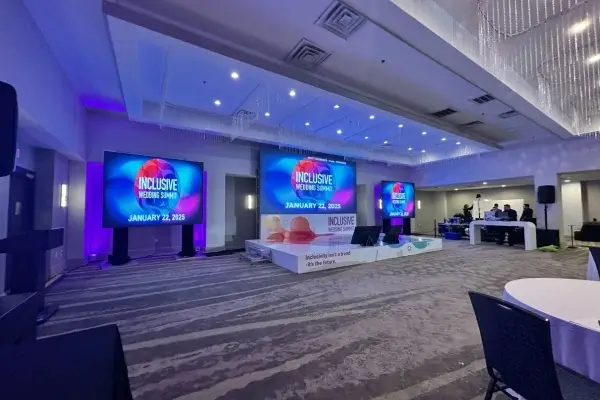
The display system is often one of the most prominent elements of a corporate stage.
It may be responsible for showing presentations, videos, branding, sponsor graphics, live camera feeds, speaker information, and visual content throughout the event.
Choosing the right display therefore involves more than simply deciding how large the screen should be.
Choosing the Main Display
Corporate events commonly use LED video walls, projection systems, or a combination of primary and supporting displays.
Each can make sense depending on the environment.
The decision should consider:
- Room dimensions
- Audience viewing distance
- Ambient light
- Screen dimensions
- Type of content being displayed
- Available rigging or support options
- Venue restrictions
LED video walls can provide a bright, flexible display surface and can be built in different dimensions depending on the production design. Projection can also be effective when the room, lighting conditions, throw distance, and screen placement support it.
Neither option should be chosen simply because one technology is newer or more visually impressive.
The question is which display system best presents the content to the audience in that particular room.
Supporting displays may also be useful in very wide rooms, spaces with columns, or environments where some seats have difficult viewing angles.
Presentation Content and Screen Layout
A large screen is only useful if the content shown on it is designed properly.
Corporate production teams need to understand what content will be used before finalizing the screen configuration.
That can include:
- PowerPoint presentations
- Keynote presentations
- Videos
- Motion graphics
- Event logos
- Sponsor graphics
- Lower thirds
- Speaker names and titles
- Live camera feeds
- Walk in and transition content
Aspect ratio is an important consideration.
If an LED wall is designed in a custom format but every presentation has been created for a standard 16:9 screen, the production team needs a plan for how that presentation will fit within the larger canvas.
The same applies to videos, sponsor graphics, logos, and motion content.
Content dimensions should be established early enough for designers, presenters, and the production team to prepare the correct assets.
Presentation playback also needs to be coordinated. Someone should be responsible for advancing slides, triggering videos, switching sources, and managing what appears on each display throughout the program.
Presenter Monitors and Live Camera Feeds
Presenters should not have to repeatedly turn around to look at the primary screen behind them.
Confidence monitors can be positioned where speakers can easily see presentation slides, notes, timers, or other information while continuing to face the audience.
Depending on the event, presenters may also need:
- Current and upcoming slides
- Speaker notes
- Countdown timers
- Event timing information
- Teleprompter content
Larger corporate events may also use live cameras and IMAG, or image magnification.
Instead of showing only presentation slides, the main screens can display a live camera view of the person speaking. This becomes particularly important in large rooms where attendees seated farther from the stage cannot clearly see the presenter’s face.
Camera feeds can also be combined with presentation graphics, lower thirds, branding, or other visual elements.
At that point, the LED wall is no longer simply a screen. It becomes part of a complete live video production system.
Lighting and Audio for a Corporate Stage
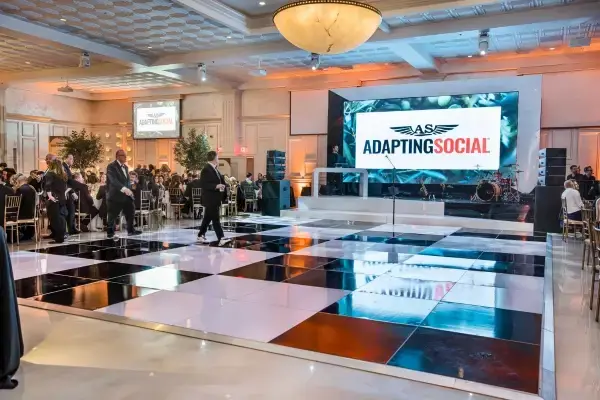
Lighting and audio have two basic jobs: make the people onstage easy to see and make everything easy to hear.
Stage Lighting
Corporate lighting should make presenters look good first.
That usually means proper front lighting for speakers, consistent lighting across panel seating, clear lectern lighting, and enough coverage for cameras when the event is being recorded or shown on screens.
Scenic lighting and brand colors can then be layered in around that foundation. Stage washes, uplighting, and cue based lighting changes can help shape different parts of the program without distracting from the people speaking.
A common mistake is designing lighting that looks dramatic in the room but leaves presenters too dark, unevenly lit, or difficult to capture on camera.
Corporate Event Audio
Audio should be planned around how each person will use the stage.
Common microphone options include:
- Wireless handheld microphones
- Lavalier microphones
- Headset microphones
- Lectern microphones
- Panel microphones
A keynote speaker moving across the stage may need a different microphone than a moderator seated during a panel. Awards presenters, performers, and audience Q&A can create additional requirements.
The audio system also needs to handle music, presentation audio, video playback, and stage monitoring when required.
Audio and Video Have to Work Together
Presentations, videos, microphones, walk up music, and visual cues are often happening within seconds of one another.
Those systems need to be coordinated so the correct microphone is live, the correct media appears on screen, and audio begins at the right moment.
Rigging, Power, Cabling, and Technical Infrastructure
A polished corporate stage still depends on the infrastructure behind it.
Rigging and Structural Requirements
Lighting, LED walls, scenic elements, and other equipment may be supported by venue rigging points or ground supported truss.
Planning needs to account for:
- Equipment weight
- Available rigging points
- LED wall support
- Lighting positions
- Ceiling conditions
- Venue restrictions and approvals
These decisions should be made before equipment arrives onsite.
For more detail, clients can review One Of A Kind Events’ guides to event truss and stage weight capacity.
Power and Cable Management
LED walls, lighting, audio systems, cameras, computers, and production control equipment can create significant power requirements.
Power distribution should be planned around the complete production system rather than individual pieces of equipment.
Cable routing matters too. Power, audio, video, and data lines should be kept organized and safely routed around the stage, backstage areas, equipment positions, and guest traffic.
Show Control, Rehearsals, and Onsite Production
Corporate stage production does not end when the equipment is installed.
The Run of Show
The production team uses the event timeline to coordinate what happens throughout the program.
That can include:
- Speaker entrances
- Presentations
- Videos
- Lighting cues
- Microphone changes
- Awards
- Music
- Stage transitions
The more complex the event, the more important it becomes to establish these cues before the program begins.
Technical Rehearsals
A rehearsal allows the team to test presentations, videos, microphones, lighting, entrances, exits, and stage movement before guests enter.
It also gives presenters a chance to understand where to stand, where to enter, what screen they will see, and how the stage will operate during their portion of the event.
Production Crew and Backup Planning
Larger productions may involve audio technicians, video technicians, lighting operators, stage managers, and production managers working together throughout the event.
Backup planning can also include spare microphones, duplicate presentation files, and redundant playback systems when the event requires them.
One Of A Kind Events remains onsite through setup, execution, cues, transitions, and breakdown so the production continues to be managed after the stage is built.
What Your Stage Production Company Needs From You
The production team can design a better stage when the important event details are available early.
Ideally, provide:
- Venue and room
- Estimated attendance
- Seating layout
- Event schedule
- Number of speakers
- Panel requirements
- Presentation needs
- Video requirements
- Branding assets
- Sponsor requirements
- Entertainment requirements
- Recording or streaming needs
- Venue production restrictions
- Load in and breakdown windows
The earlier these pieces are established, the easier it is to design the stage, visuals, lighting, audio, and infrastructure as one production system.
Rent a Corporate Stage From a Company with Experience
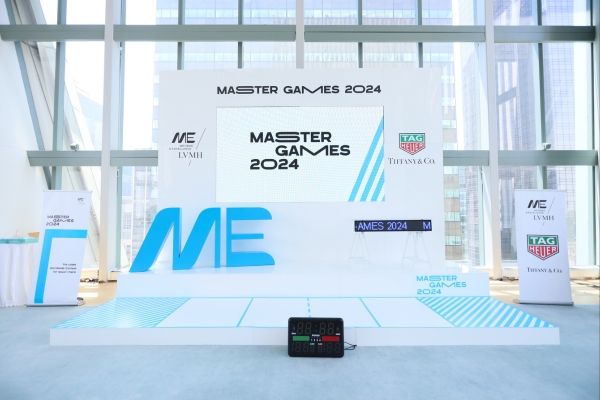
Good corporate stage design comes from coordinating the physical stage, scenic environment, branding, audio visual technology, and technical production around what the event actually needs to accomplish.
The stage should make presentations easier to follow, speakers easier to see and hear, and the event easier to operate from beginning to end.
Planning a conference, gala, awards program, product launch, or corporate event? Explore One Of A Kind Events’ New Jersey stage rentals today.